The First Claim
How this app works
Version 2026.10.30 · Path routing
Listen
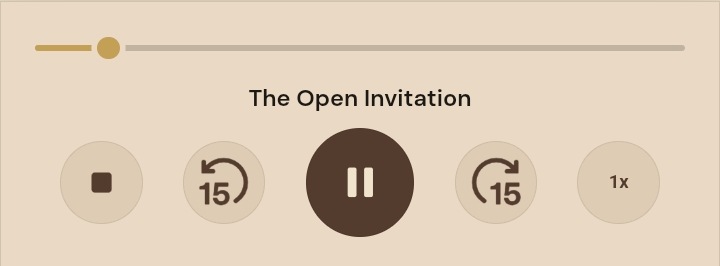
Listen starts the card. It becomes Pause while audio is playing. Alternatively you can double tap any text tile to start audio from that tile.
The player dock stays available during playback. With Autoplay off, Continue starts the next reading when you are ready. Stop closes the dock.
The 15 icons skip audio forward or back 15 seconds. The 1x is listening speed. You can speed it up or slow it down slightly.
You can explore the app while audio is playing. Tap to return will appear on the dock. That takes you back to the card that is actually playing.
Follow on
Highlights the passage being read and scrolls for hands-free reading. On a touchscreen, following pauses while you scroll and resumes about 1.8 seconds after scrolling settles. With a mouse or keyboard, deliberate scrolling pauses following until you choose Resume follow. Follow off disables automatic following.
Autoplay
With Autoplay on, listening continues into the next reading, with a short pause between readings. Offline presentations include a two-second pause. With Autoplay off, playback stops at the end of the current reading; choose Continue when ready.
Paper / Night
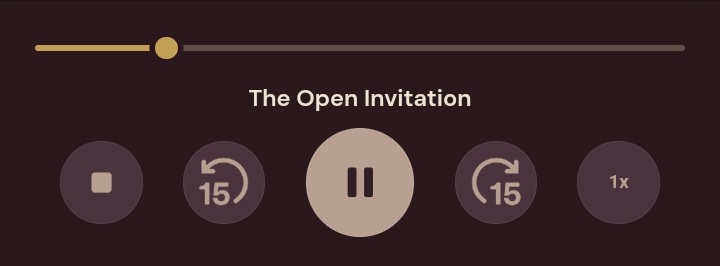
Paper is the default. Night is wine-ink. Try them both.
A- / A / A+
Customise the text size across the whole app. Lives in the top bar.
Mark as read
At the bottom of a card if you like to keep track.
Voice and text
Scripture quotations use the World English Bible (WEB) text available on BibleGateway, verified October 2026. The WEB is a public-domain modern English Bible.
In the Old Testament you will sometimes see the name Yahweh. This represents YHWH, the four Hebrew letters of God's name, sometimes called the Tetragrammaton. Many English Bibles print LORD in its place. The WEB used here prints Yahweh. It is the God of Israel's name in the Hebrew text, not another god or a different person.
The spoken voice is synthesised with Piper from the Alba model. The Alba recordings are the Alba speech corpus, University of Edinburgh (Valentini-Botinhao and Yamagishi), licensed under CC BY 4.0. Piper uses the eSpeak NG phonemiser to build the speech. Neither Piper nor eSpeak is included in the app - only the finished audio.
If something is stuck
If audio decides not to work, press stop and then Listen. That will reset the player. You should not have to do that. If you do, make a note and use Get in touch below.
Pass it on
Send one link or let someone scan the QR code. Android devices with TFC installed can open the app; everyone else can use the website.
Install on your phone
TFC works in your browser immediately. The free Home Screen version offers optional offline listening; download the audio separately after adding it. On Android, Google Play is also available.
Get in touch
Hello, and thanks for spending some time with The First Claim.
If something isn't working, please let me know. And if you think I've made a mistake in the study itself, I'd like to hear about that too.
You're welcome to get in touch just to tell me what you think.
I read the emails myself and I'll get back to you. Thanks for taking the time.
Did you send your email? Your draft is still here.
This opens your email app so you can check the message before sending it. Nothing is sent automatically.
Email not opening? Write to thefirstclaim@outlook.com.
© 2026 The First Claim. Original writing, software and production. All rights reserved. Scripture quotations from the World English Bible (WEB) are public domain.